 T w e n t y S i d e d

A few people have expressed interest in how Wavatars are made. Here is the long boring explanation for those overly curious souls. Again, if you want the WordPress plugin, go for it. If you want to adapt it for non-Wordpress use, help yourself.
All of the following is done in PHP: This isn’t exacly the most complex process in the world. Pretty simple, but the results are amusing to me.
Step 1 is to generate an 80×80 blank PNG using imagecreatetruecolor (). That image is then flood filled a color of a random hue (max saturation, low lightness value) with imagefill ().
 |
Step 2 selects a random “fade” pattern from a possible 4. This is a simple white PNG with a gradient mask that will cause the background to fade from that base color to white. This makes the icon a little more interesting, and adds some variety.
 |
Step 3 selects a random face shape from the possible 9. It loads in the mask of the chosen face and slaps it into place. I have a black border on the mask, because that looks nice.
 |
Step 4 selects a color for the head. Again, this is a random hue, max saturation, high lightness value. It then flood fills the image starting in the very center at 40, 40. Note that this creates an interesting limitation. The face has to be a single enclosed polygon that covers the center. This means you couldn’t make a head from two shapes which weren’t touching, and you couldn’t make a shape with a hole right in the middle
I could get around these limits by using imagefilter (IMG_FILTER_COLORIZE) instead of imagefill (), but I found that not all setups of PHP will support this, and that if it fails the wavatar will come out white. I figured portable, functional code was more important than something which would silently fail in confusing and unrecoverable ways for some users.
 |
For each mask shape, (circle, triangle, square, etc) I have a matching “shine” filter. This is another gradient-masked PNG of pure white, which is used to make the shape look glossy. It’s totally opaque in the areas with lots of shine, low transparency accross the main surface, and fully transparent where the “shadows” should be. I made these using the “emboss” tool in Paint Shop Pro 8.
Step 5 puts this shine image into place. Note that this step is optional. (You’ll need to have the know-how to edit the source if you want to skip it, though.) If you skip it, the Wavatars will look a little more cartoony and a little less like they’re made of iPod plastic.
 |
Step 6 selects a random set of eyebrows and slaps them on. No fancy filters or coloring this time. The brows go on before the other features so that they will appear “behind” eyeglasses.
 |
Step 7 selects a random set of empty eyes / eyeglasses and slaps them into place.
 |
Step 8 selects a set of pupils and adds them.
 |
Step 9 adds the mouth.
 |
The last step is to resample the image from the default size to the icon size the user selected (assuming they differ) and save the resulting image to disk.
That’s it. All done. You could, if you wanted, add all kinds of additional shapes to any of the categories, or replace ones you don’t like. If you change the number of available images, you’ll have to edit the source code so that the plugin knows how many images are available. Don’t worry – you can do this even if you don’t know PHP. Just look inside of wavatars.php and near the top you’ll see a few lines:
define("AVATAR_SIZE",           "80");

define("WAVATAR_BACKGROUNDS",   "4");

define("WAVATAR_FACES",         "11");

define("WAVATAR_BROWS",         "8");

define("WAVATAR_EYES",          "13");

define("WAVATAR_PUPILS",        "11");

define("WAVATAR_MOUTHS",        "19");
Just change the number in quotes to reflect the number of images you’re using, and you’re all done. You can modfy Wavatars just a bit, or replace them with something totally different.

Wolfenstein II
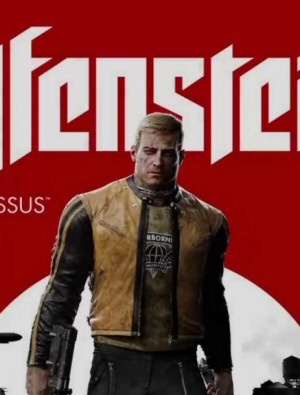
This is a massive step down in story, gameplay, and art design when compared to the 2014 soft reboot. Yet critics rated this one much higher. What's going on here?
Project Frontier
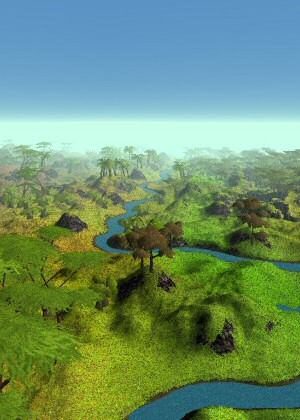
A programming project where I set out to make a gigantic and complex world from simple data.
What Does a Robot Want?
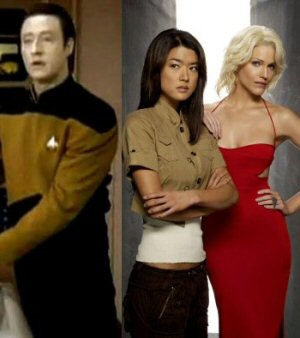
No, self-aware robots aren't going to turn on us, Skynet-style. Not unless we designed them to.
D&D Campaign
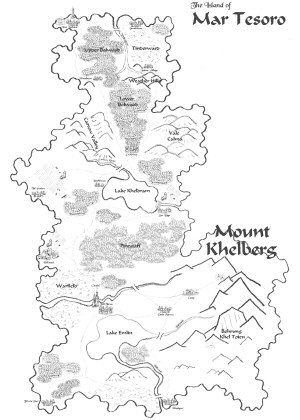
WAY back in 2005, I wrote about a D&D campaign I was running. The campaign is still there, in the bottom-most strata of the archives.
Hardware Review
So what happens when a SOFTWARE engineer tries to review hardware? This. This happens.
Very cool. As a graphics programmer at heart, I eat this stuff up.
Almost makes me want to get back into CS in my free time. Almost ;)
Nifty, it’s neat to see the guts of how these things are made.
Very nice, Shamus.
As a Microsoft technologies dev, this almost makes me want to look into PHP. On-the-fly image generation can be a pain. Looks like PHP has some powerful tools for it.
So, how long do you cache these files on disk? Couldn’t you be opening yourself up to a DOS attack if you don’t manage the files properly? Just a thought.
By the way…
I love my Wavatar. ;)
2
I’m still experimenting with different things after the + to get different things.. any time I already have something to say I try something different, sooner or later I’ll hit on the ultimate wavatar (then use it forever) :D
I’m not a programmer, so many of the things I see online I take for granted (or used to until I started reading this blog!) but seeing this wavatars explanation really puts it in perspective for me. That seems like a lot of steps and so much work to get one made! Kudos to you programmers!
A
Cadamar: It’s technically not all done in PHP. PHP includes a module to support the GD library to support dynamic image creation.
There are .NET bindings available that would let you interface with GD using a .NET language. I don’t see why you wouldn’t be able to use it with ASP.NET.
Ok. I have to see what mine looks like.
Cool! :)
I’ve always liked this sort of stuff. Almost makes me wish I had a blog so I could add it myself. :}
Egads!
Nice one BChoinski, that looks my style… can we make an exchange? :p
Tes 123
Oh, right, I forgot. Mine looks like a angry drunkard. How stereotypical (I’m finnish).
Aaron: You’d be amazed at how deep the PHP rabbit hole goes.
PHP is an awesome language, especially for beginners. It’s so easy to just borrow a little code from somewhere and manipulate it just slightly to fit your purposes.
People are usually very put off by “computer programming” because it sounds difficult, but really anybody can learn it. In my opinion, the most difficult part of PHP is the sysadmin part. Tweaking esoteric config files, folder read-write permissions…that stuff is way more complicated for your average newcomer than the actual code is.
I would have prefared this guide before I went through and recomented your code shamus, but thanks anyway.
oh, I have another error(although not a massive one), if the image has a size that’s odd then dividing it by to produces a float(to handle the decimal), this causes errors when you attempt to make your fill from the center of the image on images with odd dimentions. the obvious solution is to simply reparse these as integers:
imagefill($avatar, (int)(AVATAR_SIZE / 2),(int)(AVATAR_SIZE / 2),$bg);(I apologise in advance for the question if it’s stupid, but sadly I’m not particularly well-versed in server-side languages like PHP)
Following on from Cadamar’s question above, how are you managing to store these images? Are you storing them on your server? If so, surely that has the potential to run to quite impressive sizes, especially when you include the fact that you also need to store references for which email address the wavatar corresponds to.
Or have I missed a trick?
NB: I love it that mine is incredibly plain. =P
so that’s how it’s done, I had an idea it was like that.
Cadamar: They remain in the queue forever, although you can dump the cache in the admin panel.
They are created when needed – when they are first displayed. So, in order to create one, someone has to post a comment. Spam filters and flood filters can keep this from getting out of control.
scragar: Thanks for the bug – added to changelist.
@Phlux: I disagree. I actually find PHP to be painful to use after using just about anything else. It just reeks of poor planning to me, especially with the sheer number of ways to break code simply by changing the configuration file. Let’s not even talk about the extreme pain I went through thanks to PHP’s safe_mode feature on my last web host. That broke 95% of the PHP applications I used in some way.
I probably wouldn’t be so bitter about it if your average PHP user didn’t act like a zealot. Not saying that you or anyone here does that, but take a look at any blog criticizing any part of PHP and you’ll see what I mean. ;)
Lukasa and everyone else who is asking how these are stored:
Assuming every page on your blog has been viewed since installing wavatars, there will be one icon file for each unique person in the comments.
On a busy site like mine, this does indeed add up to a lot of files. I currently have ~5,200 in the cache. At 4k each, that comes out to ~20MB. That is indeed a lot, but keep in mind that’s for a three-year old site with massive comment threads. You can dump the cache as often as you like, but keep in mind the icons would be re-created as soon as they were needed again.
No other info is needed to match the email to the icon, as that is done on the fly.
Is there a way we can preview our avatars? I have various email addresses but don’t want to spam your comments just to find out which avatar I like best.
Whoops. Looks like I just did. Sorry :P
Lol!
“On a busy site like mine, this does indeed add up to a lot of files.”
-Shamus
Ha ha, Shamus shame on you, are you going Hollywood on us? I remember when it was aboutthe nerd jokes man, now you just care about pimpin your Wavs. You’ve changed man.
jokes! ah ha ha!
That is very cool. Thanks for sharing that plug-in with the world. Now I just need to convince my server admin to deploy it.
I still stand behind the “It’s magic!” theory.
This is pretty well done. I applaud you.
I don’t particularly care for the Wavatars, but it’s interesting seeing the code behind them.
I really need to crack down and get back to self-teaching myself PHP.
So, what, does this generate an avatar the first time we post and then tie it to our email? Or does it hash the email address and generate an avatar based on this code? When I read “portability” I assumed it would be “based” on the email like this rather than just generated at random and linked.
Rawling, and others:
When you enter your email, it does an md5 hash on it. In simple terms: readable text goes in, gibberish comes out. However, it’s deterministic gibberish.
You enter your email: [email protected]
And it churns out a huge string of characters: “0a8b4eeab8249b2038e34f27d67c” and so on. I take this value and chop it off at 17 characters, since that’s all I need.
That email will ALWAYS produce the same gibberish. When it encounters a post, it gets the hash and looks to see if “0a8b4eeab8249b20.png” exists. If not, it creates it. Each pair of digits defines one of the steps above. Perhaps the “0a” will lead to a blue background while a “3b” would give you yellow. Whatever.
Sorry if it’s confusing. That’s as clear as I can make it.
I abandoned PHP and went to .Net because (at least in St. Louis) that’s where the money was at the time.
PHP sites, on average, are better looking. They have less of a MS cookie-cutter ambiance to them.
Damn you Shamus. Now I just have to post to find out what I look like. :D
Very cool stuff though. Looks very neat too.
I know that hattrick.org used some similar tactic on their player-images when I was playing that. But they actually layered a bunch of HTML divs and images on top of each other to create the face in the browser instead of storing the final image on the server…
Shamus,
that’s exactly what I expected when you said “portable” in an earlier post. All your talk of “random” choices above confused me!
Cheers.
(plus I like mine :-D)
Oh thank you very much. You’ve now gone and forced (yes, showing me something cute like this counts as forcing, I have a very low Will save) me to add “Port Wavatars to Perl” to my exceptionally long TODO list!
One suggestion I would make is to use the MD5SUM as input data instead of random numbers. That way, if two sites implemented Wavatars, and used the same set of shapes on the backend, then anyone commenting on both sites would get the same Wavatar on each.
… and now I’ve reread a few of the previous comments, I see that is what you are doing.
Must … not … post … technical … stuff … at … ten … to … midnight … argle.
Since my first (real) experience programming was C-style, I find programming languages like PERL, PHP, LISP, BASIC, etc. to be especially jarring if I haven’t used them in a while. The weird thing is that even though I can immediately read the code and understand what it is doing, I get these amazing headaches if I have to transition from Java/C to PHP or back. It’s a little like trying to go back and forth between reading English and Latin. I have this strange physical reaction for a day or two then it goes away while I’m constantly exposed. If I go a week or two without exposure, bang, instant headache when I try to flip back around.
Interesting stuff. And just checking to see what mine looks like.
Haha, monocle.
Just wondering what mine looks like…
Another “just checking”, I’m afraid. Move along… nothing to read here…
Hm… a sleepy-looking stop sign with a unibrow that looks like he’s had too much caffeine… yep, seems about right!
Test test testy test
Oh my, mine is so delicious. I’m almost worried that someone may steal it!
Just like other people, just…erm…testing….
Sweet.
Hm. I appear to be some sort of shocked blue triangle.
:O
How can I get an Avatar that is like Jessie’s so the images resemble story book characters or cartoons?
Insert Comment
I guess curiosity has a way of gnawing at you until you check out your wavatar.
P.S. I like how firefox practically fills in the captcha for me now… :)
Testing, the xth…
OK, in order to make this not “just anoher test”, I’ll actually write something:
Shamus, I like the new layout even if you use boxes… I have so far only looked at the “black text on white background”. I’m also glad that the dice no longer break the comments (they used to start when the dice ended). Now, I’d probably better get back to working…
People are still testing their wavatars?
How many more threads will this take up??
Hmmmm, I’ll use another email address…
Many, many more threads
hmm…
Shamus, I was wondering what you used to map from email address to input for the selection algorithm. I was half suspecting an MD5 hash of the email, used as a seed for a PRNG, but I must say that simply chopping enough bits out and use that (with, I suspect, using modulus to bring it into raneg for each choice) is more elegant, in its own twisted way.
I see that the CAPTCHA has been redesigned, the new style is more… printed than the previous rather flowing one.
Hrm. Some people have actual avatars, as supposed to wavatars. Obviously they are inferior, because wavatars are much cooler.
This rocks, thank you for the explanation.
Just testing a second address.
and a third
Ok, I’ve tried. I can’t figure out how users with custom avatars are getting them. Is this something only the admin can add?
You know what would be cool is an OpenAvatar concept like OpenId where your avatar follows you around wherever you go.
What a delightful doohickey.
@Michael: That’s exactly what those are. They’re called Gravatars. You should be able to sign up at the Gravatar site, but I sadly don’t have the link.
Cool concept!
And I have glasses so it fit perfectly :)
Well, I think all the “Just Testing” posts are funny…
…
…
darn it can’t remember what mine looks like.. lol
I just want to see what mine would be. Sorry about the ‘just testing’ post.
I love PHP sometimes. The GD library is such a powerful tool for this type of thing.
I am curious as to what my avatar is
i love my monocle, i gives my posts a sense of class
I have to go disable my gravatars!
Hm…interesting. Well, nothing else to contribute, just seeing what my wavatar is.
Okay, I’m jumping on the bandwagon… what exactly will I look like?
The next question is:
Will “Wavatars” influence the “tone” of the post?
Not how it was written, but how it is read. Do I now read like a disgruntled curmudgeon?
Interesting, and probably effective too, to make a comment list more lively. What’s mine look like?
Oy, do I have a mean case of the winds . . . . hehehe
“I will NEVER smile again, Dammit!”
Why didn’t I get a monocle? Curses!
*hops on the testing bandwagon*
Also, first post on this site, hi all!
ah, this is fun!
trying again.
*posting to see mine*
I have to say, they look very professional for being made in such a simple way (even if the code behind it isnt that simple in the end)
Oh no, I’m angry, better try another of my emails!
coooooooooooooool. 8-D
I’ve got a Gravatar that I like, so I’ll test my work address.
Just another “What’s my Wavatar” post…
Move along, nothing to see here
Sorry, Can’t resist…
What’s mine look like?
My experience with PHP is…mixed. I had tocode some stuff ti access an SQL database for one of my CS classes, and I would have liked to kill the computer. Looked really nice (and felt really great) when it was done, though.
As for your code–it’s one of those things where my first reaction to it is “why hasn’t anyone thought of this before?” It’s a really great idea that takes very little complexity to code. Good jab.
And now I have to post again, because my wavatar looks like a wight with a monocle…
Testing wavatar … must port to perl/python … also possibly a joomla version for my blog ;)
great plugin, but what I must do if I want use only black and white colors? Can you help me, becouse I not so good in php?
Sorry, a wrong post from my side. Sory!
Huh… Thats cool. I should really start trying to teach myself PHP again, I just find learning (any) programming language incredibly boring without an immediate application for it :/
You should have a Wavatar generator page so people don’t post “trying it out” posts, like this one!
Can somebody PLEASE set up a web site where we can enter in an email and see what the wavatar would look like? I can’t test mine because I already have a Gravatar account!
I just wanted to see what mine looked like.
Wanted to see what my Wavatar looked like.
0
IIInterestiing!
Jus’ checkin’ to see what “Wavatar” (sigh) shows up…
hrrmmm… make me wavatar, you will… like it, i may…
tutus!
hooray!
tes
tes
I would like to see my wavatar
what is my wavatar
Very ANGRY green square.
my wavatar
just checking mine out…:)
looking at my wavatar…
el testo
oops, used one with a gravatar, el testo dos…
I wanna see!
xo…I love it!
looking my gravatar
looking my gravatar.?
Update
Pm
abc
X)
:D