 T w e n t y S i d e d

I don’t know why, but here is another one. With apologies to Randall Munroe.
 |

I don’t know why, but here is another one. With apologies to Randall Munroe.
|
Congrats to the crew at The Escapist for winning another Webby award. Sadly, they lost the “people’s choice” award. They were ahead until the final day, when an abrupt surge of votes put Gamespot out in front. Although, as Spinwiz put it:
My warm relationship with The Escapist aside, I really hated to see GameSpot win. Gamespot personifies everything I hate (and have ranted about over the last four years) about gaming media. Their hype-focused tone. Their bland reviews with the soulless numeric score punchline. Their faceless writers. Their agonizingly ad-soaked bandwidth-choking wallpaper of visual spam they call a front page. Their apathy towards the indie scene. Their spamming. And let’s not forget what they did to Jeff Gerstman. In short, their site is ugly, shallow, and blurs the line between journalism and prostitution.
On the other hand, Destructoid is a worthy site. I hadn’t taken an interest in the place before I saw them as a rival in the Webby awards. (I think their tagline does them a disservice. “The hardcore gamer’s community” does not sound intriguing to me.) The site is fast, fun, and (as I mentioned in last week’s column) personality-driven. The fact that they got less votes than Gamespot is a crime. This should have been Destructiod vs. The Escapist, with Gamespot ranking just below this one in terms of community and entertainment value.
Sorry to get all bitter, but it’s disappointing to see that Gamespot is what people really want. I think the site has a negative impact on gaming as a hobby, and seeing it defeat Destructiod and The Escapist is like seeing people demand yet another reality show instead of a second season of Firefly.
On the upside, The Escapist won, and my work was a small part of that. That’s pretty gratifying.
Congratulations again to the crew at The Escapist.
Screensaver
Link (YouTube) |
But I don’t have any machines suitable for testing right now, and I don’t have time to run some sort of open beta. Besides, any such effort would quickly fill up with people who were just there for the software and not really into the whole “test unreliable software and then report in detail all the ways in which it failed to work”.
So I’ll preface this release with a stronger version of the usual disclaimers: No warranty is implied, it might not work, use at your own risk.
Sorry to the Mac users. I do not omit you out of malice, but I’ve never developed for Macs before and have no means of doing so.
Take the PixelCity.scr file out of that archive and put it into your /Windows directory and you should be ready to go. There is no configuration dialog, so when you hit the “settings” button in ScreenSaver configuration, nothing will happen. Just hit F1 while the program is running to get a list of things you can do. Be sure to press ‘E’, as it will show off some full-screen effects I haven’t mentioned or showcased before. (I wanted to have some surprises! Although perhaps seeing the message “This program as performed an illegal operation and needs to close” will sate your desire for surprise.)
Please do consider spreading the word on this project on your blogs or wherever you tell people about cool stuff. Reluctant DM was nice enough to put it up on Digg, but Digg has yet to respond to anything I’ve done. Projects, comics, articles. I’ve gotten links from some internet hotspots, but I’ve never earned more than an indifferent shrug from Digg. It’s a very FARK-esque audience and I doubt I’ll get any digs until I write my magnum opus: Procedural Man Getting Hit in Balls with Baseball. (It works on so many levels!)
Source
I’ve put the project on Google Code, although I’m not sure if I will continue with the project or not. I’d love to keep working on it, but further changes will most likely make for dry reading, and that means the project would no longer be feeding this website. We’ll see.
I’m using MS Dev Studio 6, which turns eleven years old this year. Sorry to those of you using development environments forged sometime during this millennium. This is something I cannot change. Although to be fair, migrating from my platform to your is likely much easier than going the other way.
Development
In Win.h there is a #define that lets you disable screensaver mode, which is crucial for development. Setting SCREENSAVER to 0 will change the behavior of different parts of the program and give you access to the primitive and unintuitive development camera.
If you want to test it in screensaver mode, set SCREENSAVER to 1 and invoke the program with the /s command-line option.
Porting
The program is very much tied to Windows at this point. I tried to quarantine all of the Windows-specific code into its own ghetto module (Win.cpp) but that didn’t really work. The stuff for generating a render contex and loading fonts in Render.cpp is also windows-specific, and of course you must #include windows.h everywhere you use Gl.h, which is just about everywhere. And finally, checking the millisecond timer means calling the Windows-specific GetTickCount (). So those items will probably form your to-to list if you’re looking to port.
Optimizations
There is a lot of work that could be done to speed this thing up. Many promising ideas were suggested in the comments during the three optimization posts.
Switching to vertex buffers would likely give a huge boost. (See the comments at the top of Mesh.cpp.) A lot of improvements could be made to the visibility table and how cell visibility is determined. And I suspect there’s a better way to fill the bloom buffer than the one I’m using now.
I didn’t pursue these because there’s just no point in trying to optimize any further on this machine. To be done right, the changes need to be done on an older machine. Profiling can help, but only in cases where old and new hardware encounter the same bottlenecks. The thing runs at 200fps+ on my machine, and it’s entirely possible that I could ratchet that up to 300fps in such a way that provides almost no benefit to the poor guy running the thing on an old laptop. Furthermore, at this speed it’s pretty hard to detect improvements amid the noise, so it’s hard to get a feel for how effective changes are. (Again, profiling doesn’t tell you about those every-ten-frame lurches that are imperceptible at 200fps and nauseating at 20fps. There is simply no substitute for testing on the right hardware, which is why the loss of my old computer was such a terrible blow. I’m currently watching family members to see if any of them are going to upgrade soon. Ideally, I hope to inherit a ~2004 machine.)
Still, I’d start with vertex buffers.
Derivative Work & Collaborations
I am gratified to see that so many people want the source and are eager to do new and cool things with it. I’m not sure how we should go about this. Google Code isn’t up to tracking a dozen forks of the project, and I don’t have time to administrate that sort of activity anyway. Ideally we want someplace where people can swap code, knowledge, and screenshots. Some people will no doubt struggle getting it to compile on their different (from mine) development environment, and a little help from others can go a long way towards saving everyone time & headaches.
This is ideally the job of a forum, but I’m not in a position to provide one of those right now. It would be perfect if such a thing was available along with Google Code, alas.
I’m open to suggestions.
UPDATE: The codebase is now available on GitHub, which has the source file / social functionality we’re looking for:
http://github.com/skeeto/pixelcity/tree/master
Future Work
While I have many features I’d like to add, I don’t have any immediate plans to do so. Right now I’m going to wait and see if there are any egregious problems with the screensaver.
But if pressed, I suppose I’d like to add the following someday:
Thanks for reading. It’s been fun.
(AKA teabagging.)
You’ve most likely witnessed the thing in action already, but I thought I’d go over the final steps.
Building Logos
 |
| Prefix | Business | Suffix |
|---|---|---|
i Green Mega Super Omni e Hyper Global Vital Next Pacific Metro Unity G- Trans Infinity Superior Monolith Best Atlantic First Union National |
Biotic Info Data Solar Aerospace Motors Nano Online Circuits Energy Med Robotic Exports Security Systems Financial Industrial Media Materials Foods Networks Shipping Tools Medical Publishing Enterprises Audio Health Bank Imports Apparel Petroleum Studios |
Corp Inc. Co World .Com USA Ltd. Net Tech Labs Mfg. UK Unlimited One |
The names themselves are generated by combining elements from the three lists to the right. The first column is for descriptive self-aggrandizing that companies like to give themselves. The second is generally the name of a good or service that a boring conventional company might use in its own name. And the third column is for for the dry descriptive that generally follow the name of a business. Pixel City generates business names by taking a random entry from the center column and pairing it with either a prefix or a suffix, but never both. So you might end up with “Vital Imports” or “Imports Tech”, but never “Vital Imports Tech”. Using all three works in some cases, but looks ungainly in others. It also gets hard to make sure it all fits on the texture. A bad roll could bring the three longest entries together and make something verbose like, “Monolith Enterprises Unlimited”. Which doesn’t sound nice and won’t fit on the texture. (The system I’m using to draw characters is pretty primitive and doesn’t have the ability to predict how long something is going to be before it gets drawn.)
Obviously not all names make perfect sense. (iPetroleum? Really? Are you drilling for oil on the internet?) But most names are plausible enough and have a respectable level of variety. It can make 1,221 unique names right now, and every once in a while I think of another entry to make it even more diverse. Note that some prefixes have spaces after them and some don’t, so you’ll end up with “iMedia” in one case but “Pacific Media” in another.
Streetlights
I’m still not happy with how the street-level lighting came out. If this was a Game Developer Magazine Postmortem, then we’d be explaining how this feature put us a year over budget. I spent more than a few hours writing different systems, tweaking them for a few more hours, and then deleting them to try something else. The problem here is that my initial idea of simple dots for lights didn’t look anywhere nearly as good as I’d hoped, and I lost a lot of time searching for another solution. In the end I came back to my original idea and just decided to live with it. Many people looked at the screenshots and suggested the lights be bigger / smaller / higher / lower/ closer together / further apart, but these problems are just emergent results of the underlying problem that light simply doesn’t behave the way the program depicts, and the break in fidelity attracts the eye and draws attention to the weakest part of the scene. Changing the lights by making them (say) higher would simply change the problem being reported by your eyes. “Oh, now it’s too small… Now it looks too bright… Now they look too far apart… Now they look too far off the ground… etc.”
It will be interesting to see what other solutions people come up with once the source is released. Perhaps someone will find the silver bullet solution that eluded me.
Roof lights and radio towers
 |
| Image lightened in Paint Shop in order to make the towers more visible against the sky. |
The radio towers are a simple 4-triangle spike with a lattice texture applied. A blinky light is added to the tip. I have a blinkentower on almost every tall building, and I still get complaints from people to the effect of “you should have some towers on the tops of those buildings”. I think they’re just too hard to make out in the low-res screenshots and YouTube video. Spotting a few black lines against an almost-black background amidst a sea of compression artifacts is no easy task, but I think that when viewed full-screen they’ll look good enough.
Screensaver Behavior
When invoked, the program generates a city (unlike in the demo video, this is done behind a loading screen) and then the camera flies around it for a few minutes. There are a few keys that change the program behavior. There is a key to toggle wireframe, another to cycle through the special effects, from bloom to the “glass city” effect shown earlier. F1 shows the full list of keys. Pressing any other key just exits the program, as screensavers do. After a couple of minutes the scene fades out and another city is generated. Rinse, repeat.
Tomorrow: The source and the Windows Screensaver will be released.
The internet is a strange place where you can learn about things you need which you didn’t know you needed. For example, Left 4 Dead cookies.
Here are the key points of the project, distilled into a short video.
Link (YouTube) |
Seeing the thing in motion really is more exciting than screenshots.
I know in the video I claimed it was released as source and a screensaver , but that step has been delayed and I’m to lazy to re-cut the video.
Soon.
Note that the stuttering apparent in the video is not from the program itself. It was running at 200-300fps with no slowdowns when I made this video. The stuttering either happened during video capture or during the encoding process, which I was obliged to do twice. (Cheapo Windows Movie Maker doesn’t support multiple audio tracks, so to get the typing sound and the music in there together I had to encode the entire movie with just the typing, then re-import that movie and add the music. There were probably better ways to have solved this, but all of them would have taken longer and I’d already spent more time on this than I’d intended.
The story of the cool cam is one many engineers (and by extension, programmers) need to take to heart, that marketing does not always deserve the scorn we give it, and that a little polish in presentation can go a long way to covering up the lack of polish in everything else. I applied that lesson to great effect here. The animated camera does a great job of showing off the cool stuff and hiding the rough edges.
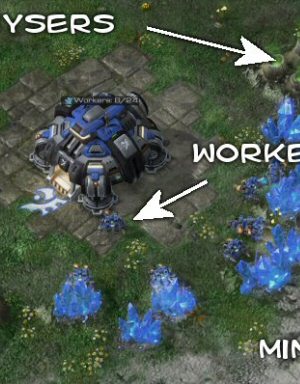
I write a program to simulate different strategies in Starcraft 2, to see how they compare.
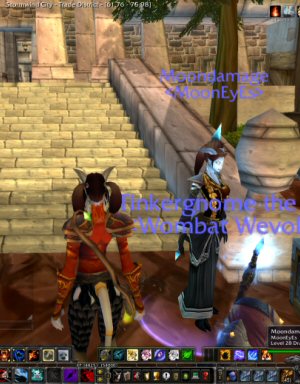
Computers keep getting more powerful. So why do the population caps for massively multiplayer games stay about the same?

A video discussing Megatexture technology. Why we needed it, what it was supposed to do, and why it maybe didn't totally work.

I'm not surprised a fighting game has an absurd story. I just can't figure out why they bothered with the story at all.

Ever wondered what's in all those quest boxes you've never bothered to read? Get ready: They're more insane than you might expect.

Why killing you might be the least scary thing a game can do.

Do you like electronic music? Do you like free stuff? Are you okay with amateur music from someone who's learning? Yes? Because that's what this is.

The story of me. If you're looking for a picture of what it was like growing up in the seventies, then this is for you.
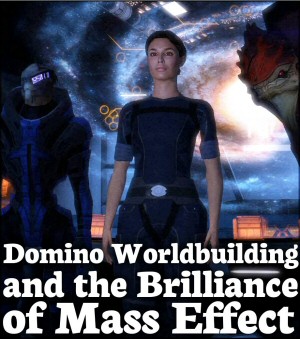
What is "Domino Worldbuilding" and how did it help to make Mass Effect one of the most interesting settings in modern RPGs?

Imagine if the original Star Wars hadn't appeared in the 1970's, but instead was pitched to studios in 2006. How would that turn out?